Get free / discounted product(s)
This promo type lets you add a free product, or offer a discounted product to the customer. It can be useful when you want to make your customer happy by auto-adding a small gift to their cart. Another common usage is to add a condition in the rule, so only customers who match the condition get the free or the discounted product.
Promo example:
"Customers who made at least 5 purchases in the last year get a free cap."
Configuration
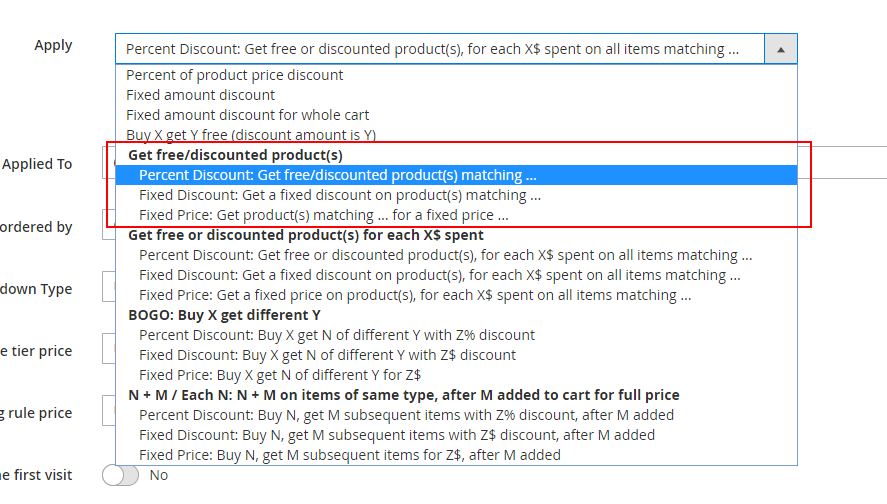
In the actions list, under “Get free / discounted product(s)”, you can choose the Percent Discount, Fixed Discount or Fixed Price sub actions -
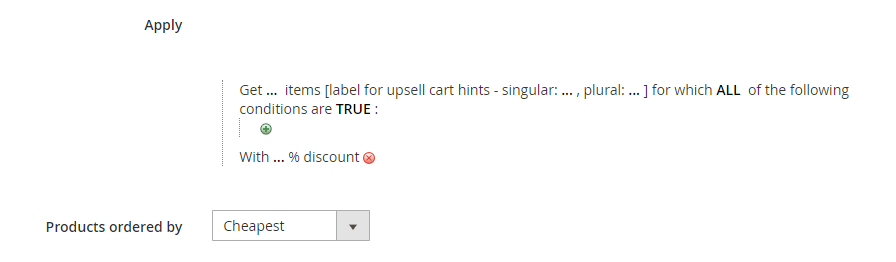
Once selected, the following fields will show up -
Fields explanation
-
Get … items – number of free / discounted items that the customer gets.
-
Items for which ALL of the following conditions are TRUE – the conditions that define the Get items.
-
Get … items label for cart hints – singular / plural – the name that will show up in the cart hints and product hints representing the discounted items.
-
With …% discount – the discount amount that will be applied on the Get items.
-
Products ordered by – this field tells the extension what items to discount in case there are more than the defined number of items that match the conditions.
For example: The rule is “Get 1 fitness bottle for free”, and the customer has two fitness bottles in the cart. If Products ordered by is set to cheapest, the extension will discount the cheapest fitness bottle in the cart.
Get free / discounted product(s) – Percent Discount
Example
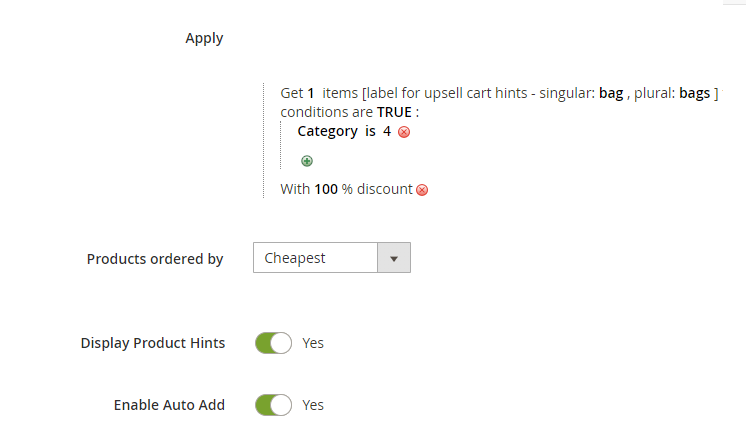
The rule in this example is – “Get a bag for free!”. (Note: In our example, bag is any product that belongs to category 4.)
The “Products ordered by” is “cheapest”, that is, if the customer has more than one bag in their cart – the cheapest will get discounted.
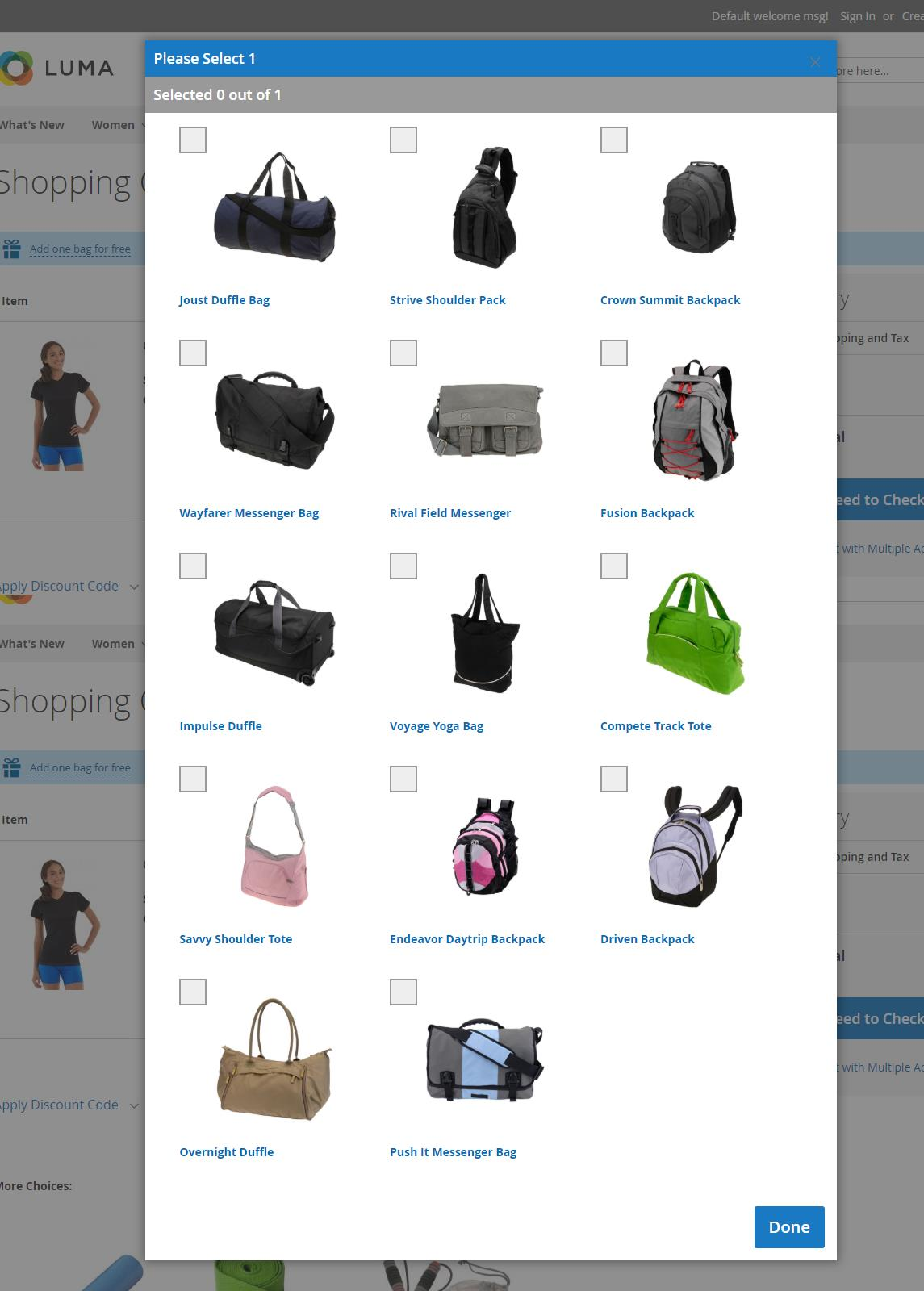
“Display Product Hints” is “Yes” and “Enable Auto Add” is “Yes”. That means that if there is only one possible bag in the system (that is if there is only one product in category 4), it will be auto-added to the customer cart. Otherwise, a product hint “Add one bag for free” will be displayed. The customer then can click the product hint and select their free bag.
Cart examples for this rule:
- Customer adds 1 bag (20$) to cart. The discount amount is $20.
- Customer adds a t-shirt to the cart, and there is only one bag in the system. The customer gets the bag auto-added to their cart.
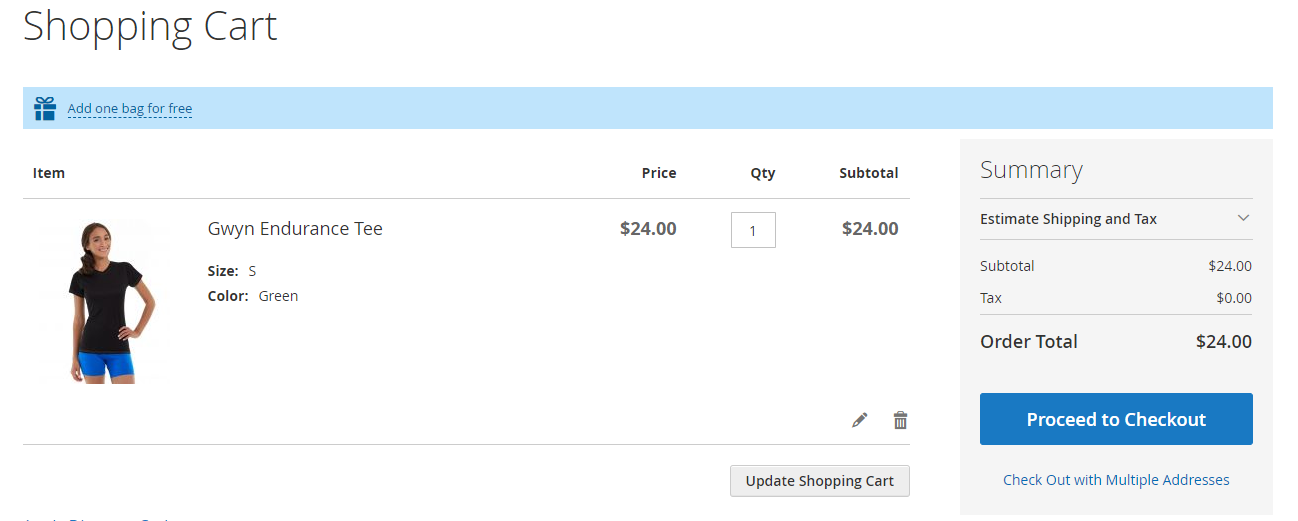
- Customer adds a t-shirt to the cart, and there is more than one bag in the system. The customer gets the message “Add one bag for free!” at the top of the cart -
They click the message and get a popup that lets them select their free bag -
Get free / discounted product(s) – Fixed Discount
Example
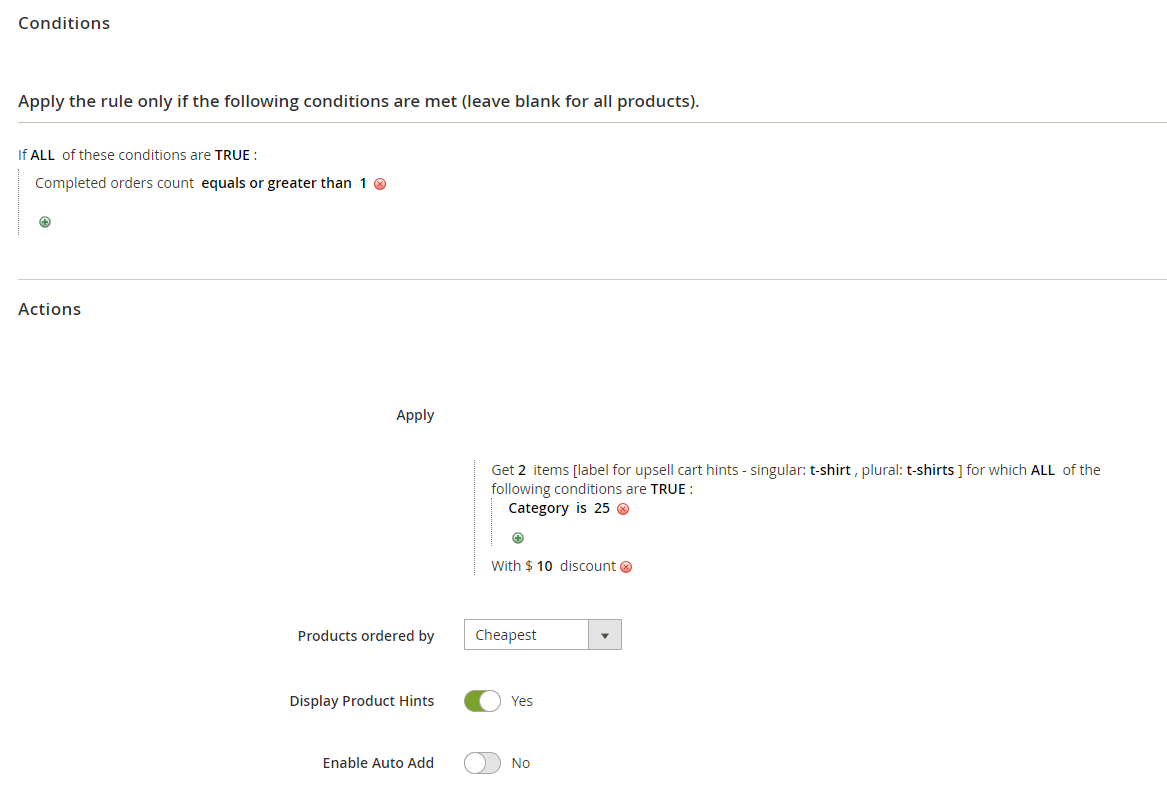
The rule in this example is – “Old customer - get two t-shirts with $10 discount”. The condition in the rule is that the customer has at least one completed order (ie an order with status “Complete”).
(Note: In our example, t-shirt is any product that belongs to category 15.)
Cart examples for this rule:
- The customer has no previous orders in the website or the customer is not logged in. The customer has 5 t-shirts in the cart. There is no discount applied.
- The customer has one completed order from a month ago. The customer has 5 t-shirts in the cart. The discount amount is $20.
- The customer has two completed orders from a year ago. The customer has one watch in the cart. They see the product hint “Add 2 t-shirts with $10 discount each” at the top of the cart –
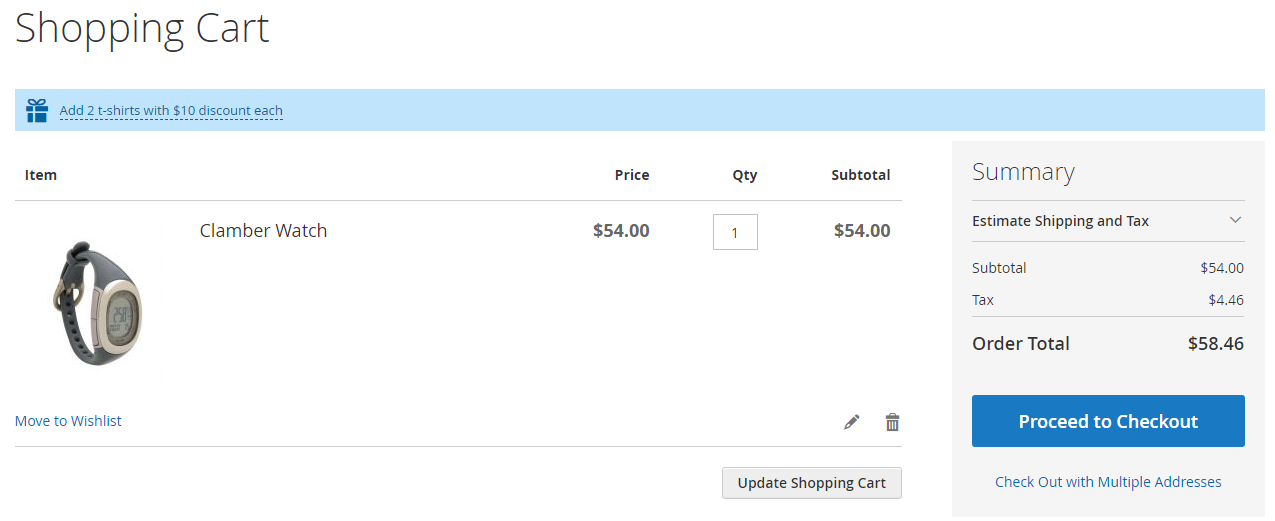
The customer clicks on the product hint, and gets the popup to select their two discounted t-shirts.
Get free / discounted product(s) – Fixed Price
Example
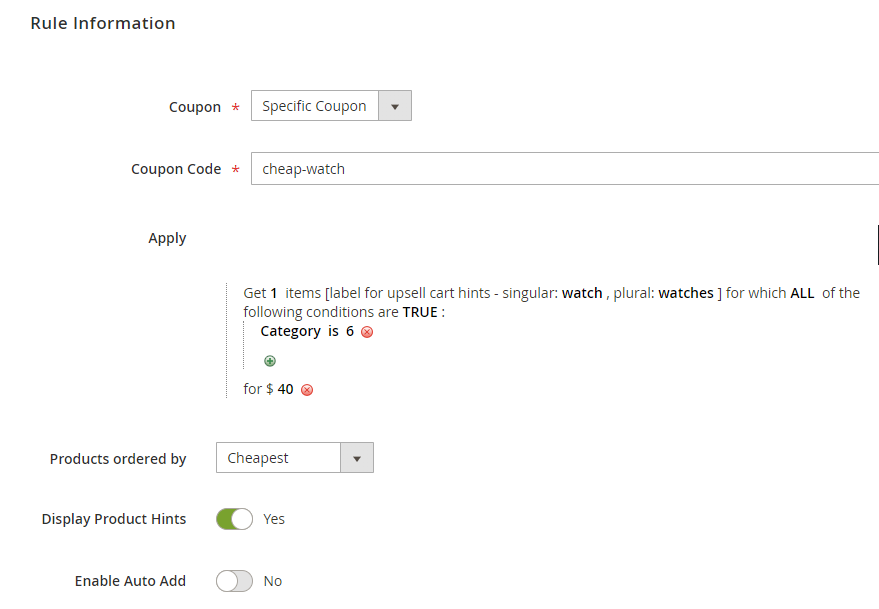
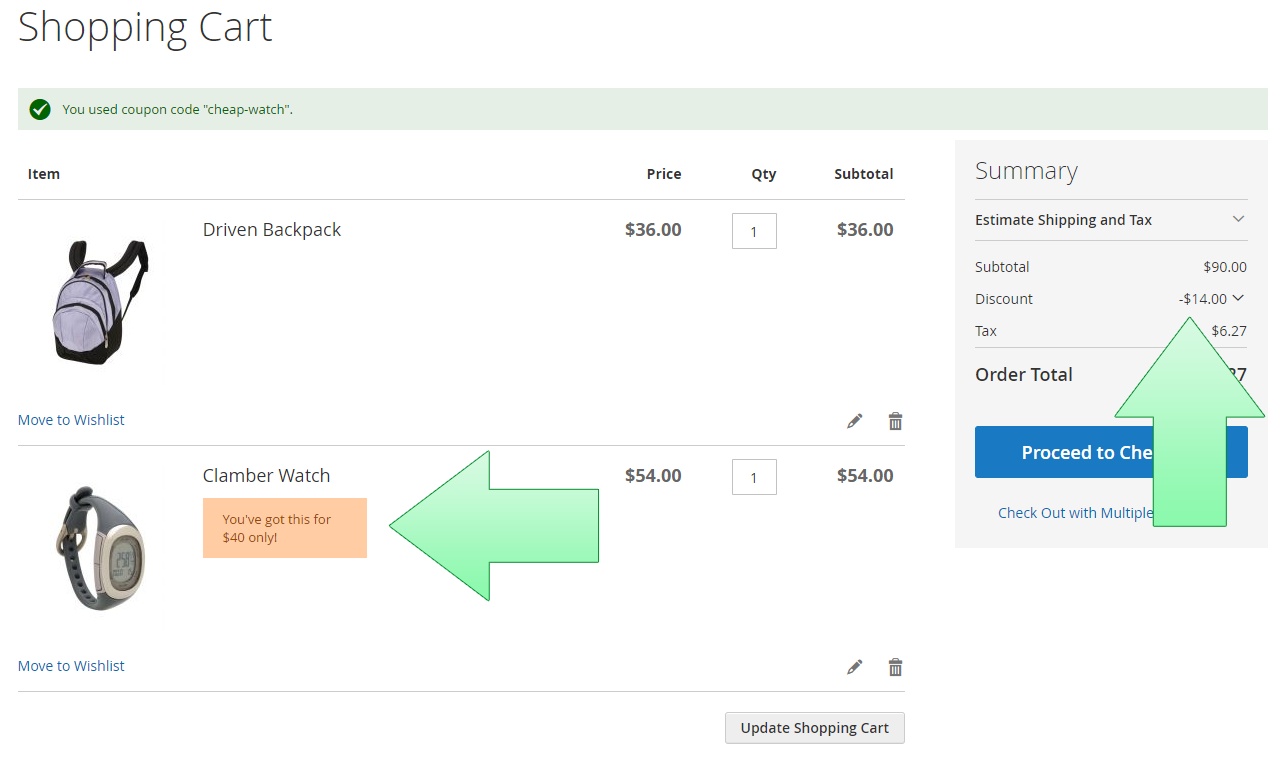
The rule in this example is – “Get a watch for $40”. There is a coupon code “cheap-watch” set in the rule.
Cart examples for this rule:
- Customer has a bag in the cart. There is no discount and no product hint, since they didn’t apply the coupon.
- Customer has a bag and a watch ($54) in the cart. They apply the coupon “cheap-watch”. They get $14 discount, and the gift message “You’ve got this for $40 only!” shows up next to the watch -
- Customer has a t-shirt in the cart. They apply the coupon “cheap-watch”. They get the product hint “Add one watch for $40 only” at the top of the cart. They can click it and select their discounted watch from the list of watches.