Stores Configuration
The extension’s configuration is located at Stores --> Configuration --> Sales --> MexBS Additional Promotions.
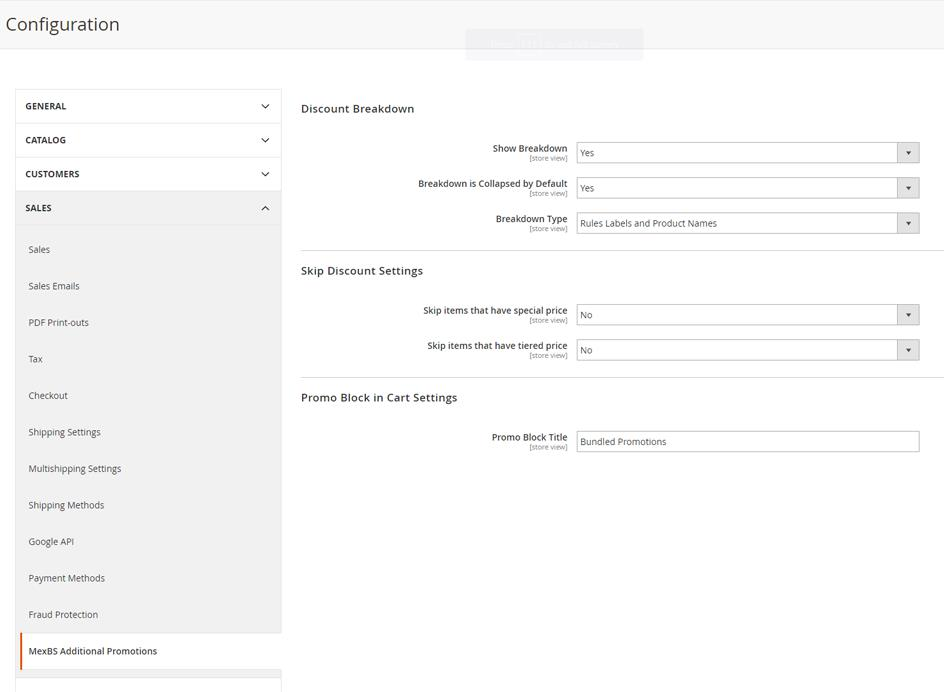
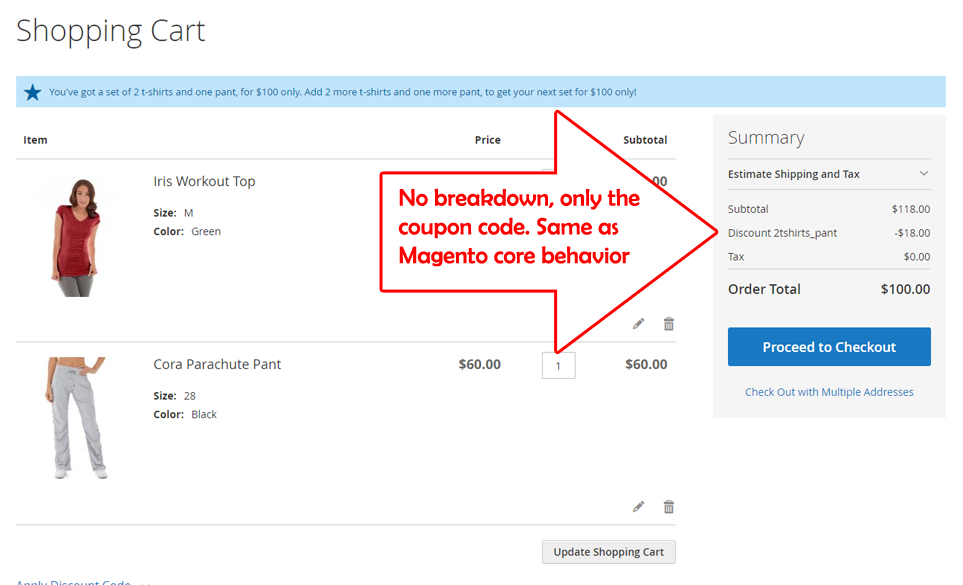
- Show Breakdown – Yes/No – Yes will show the discount breakdown, No will act like Magento core behavior (ie: not showing the breakdown). Example of how the cart looks when “No” is chosen:
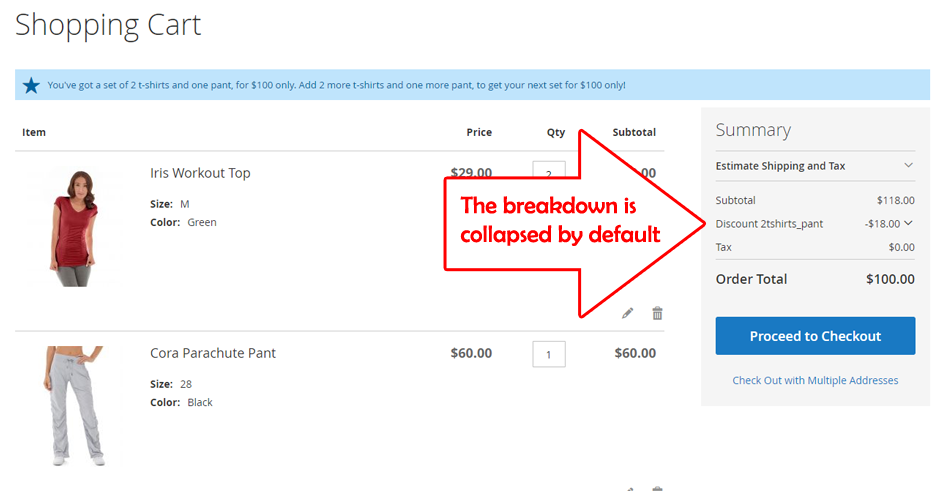
- Breakdown is collapsed by Default – Yes/No – Example of how the cart looks when “Yes” is chosen:
- Breakdown type – “Rule Labels”/“Rule Labels and Product Names” – (For an explanation of the breakdown types, see Discount Breakdown Type). This defines the default breakdown type, which will be used when the rule has “Use Config Value” in “Discount Breakdown Type”.
- Skip items that have tier price – Yes/No – This defines the default value which will be used when the rule has “Use Config Value” in “Skip items that have tier price”.
- Skip items that have special price – Yes/No – This defines the default value which will be used when the rule has “Use Config Value” in “Skip items that have special price / catalog rule price”.
- Promo Block title – the title of the promo block in the cart and the widget. In the example configuration above, the promo block title is “Bundled Promotions”.