Mass-generating tiered coupon codes
This feature is currently available only for Magento 2.2.x and higher.
The extension allows mass-generating codes for a tiered coupon. To do that, go to the tiered coupon in the admin panel, and scroll down to the “Auto-generate Coupon Codes” tab. Click on the tab, you should get the following screen –
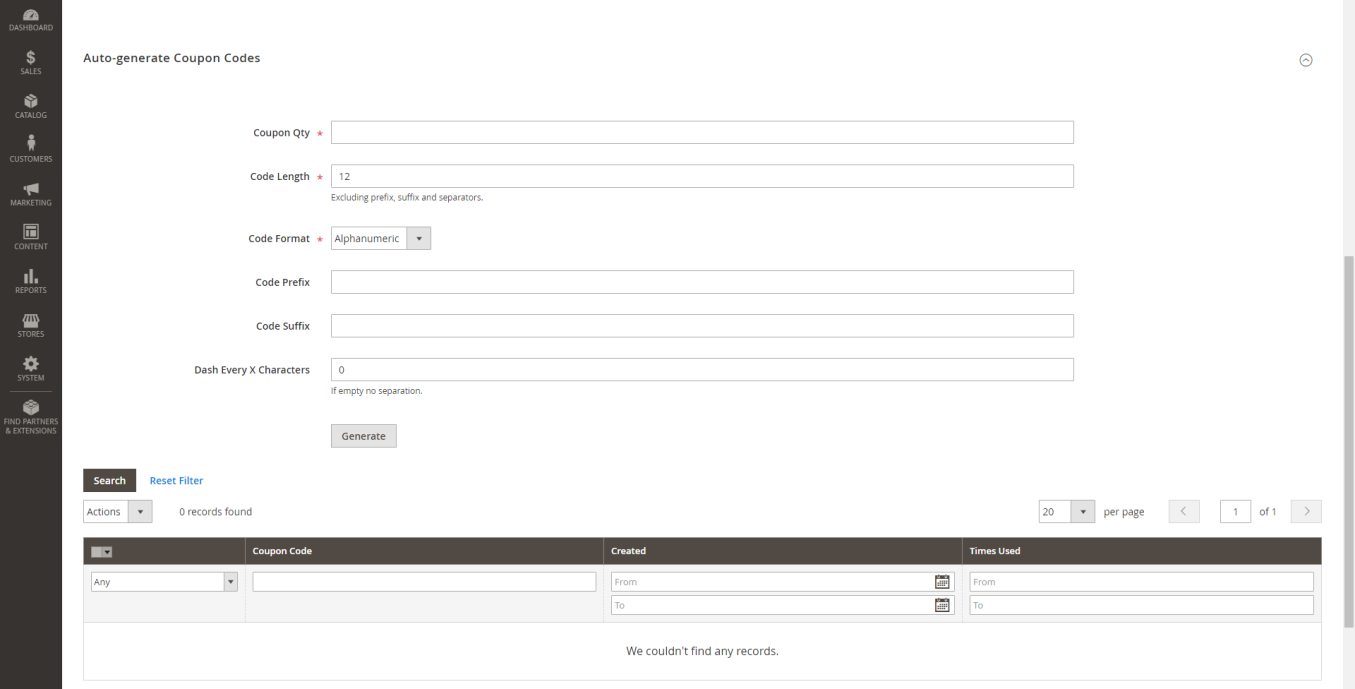
You need to save the tiered coupon at least once, before being able to mass generate the codes.
Fill in the fields and click “Generate”. You should be able to see the auto generated coupon codes in the grid below.
Fields explanation
- Coupon Qty – number of the coupon codes that you want to generate
- Code Length – the length of each generated code
- Code Format – Alphanumeric – letters and numbers / Alphabetical - only letters / Numeric – only numbers
- Code Prefix – a string that will be added at the beginning of each code
- Code Suffix – a string that will be added at the end of each code
- Dash Every X Characters – if this field is higher than 0, the extension will put a dash in the coupon code every X characters
Example
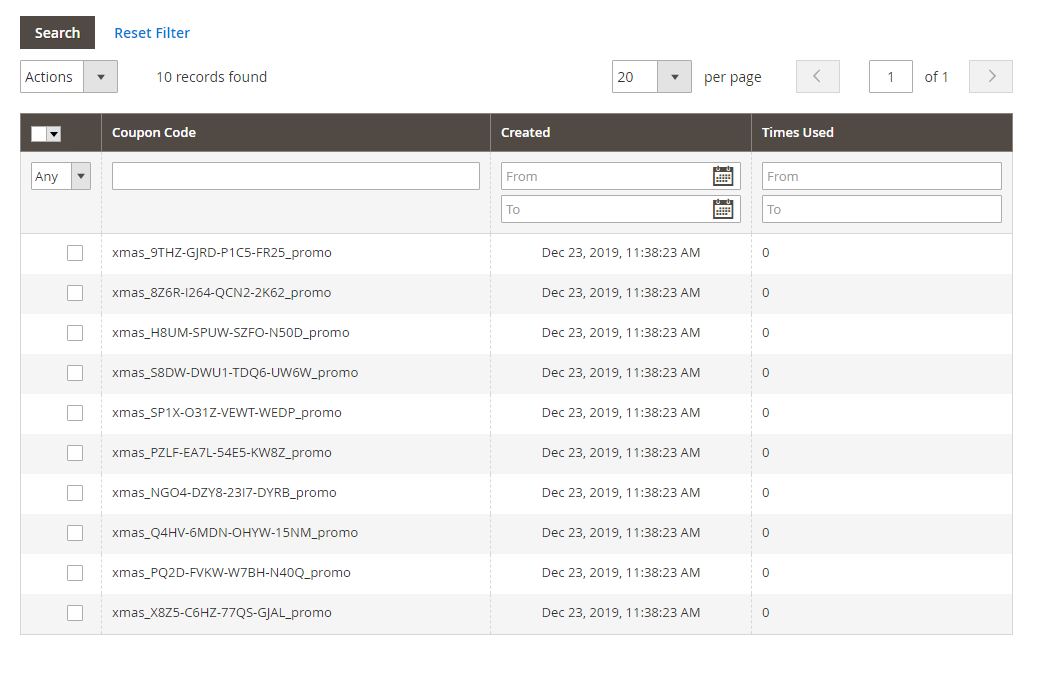
Our fields are filled as the following: Coupon Qty = 10, Code Length = 16, Code Format = Alphanumeric, Code Prefix = xmas_, Code Suffix = _promo, Dash Every X Characters = 4
We click the “Generate” button, and here is what we get in the coupon codes grid –
The behavior of the auto-generated tiered coupon codes
When the customer applies the mass generated code in the cart, the extension applies the discount logic of the associated tiered coupon. If the tiered coupon is disabled, its auto generated codes won’t work.