
Login Contact Us
My cart
Improved Coupon Extension for Magento 2 | Multiple coupons, auto-apply & coupon list. Hyva compatible extension badge M2

Improved Coupon Extension for Magento 2 | Multiple coupons, auto-apply & coupon list.

Improved Coupon Extension for Magento 2 | Multiple coupons, auto-apply & coupon list.

  • Apply several coupons to one order, and remove each one separately - in the cart, mini-cart and checkout
  • Auto-apply coupons as soon as the cart qualifies
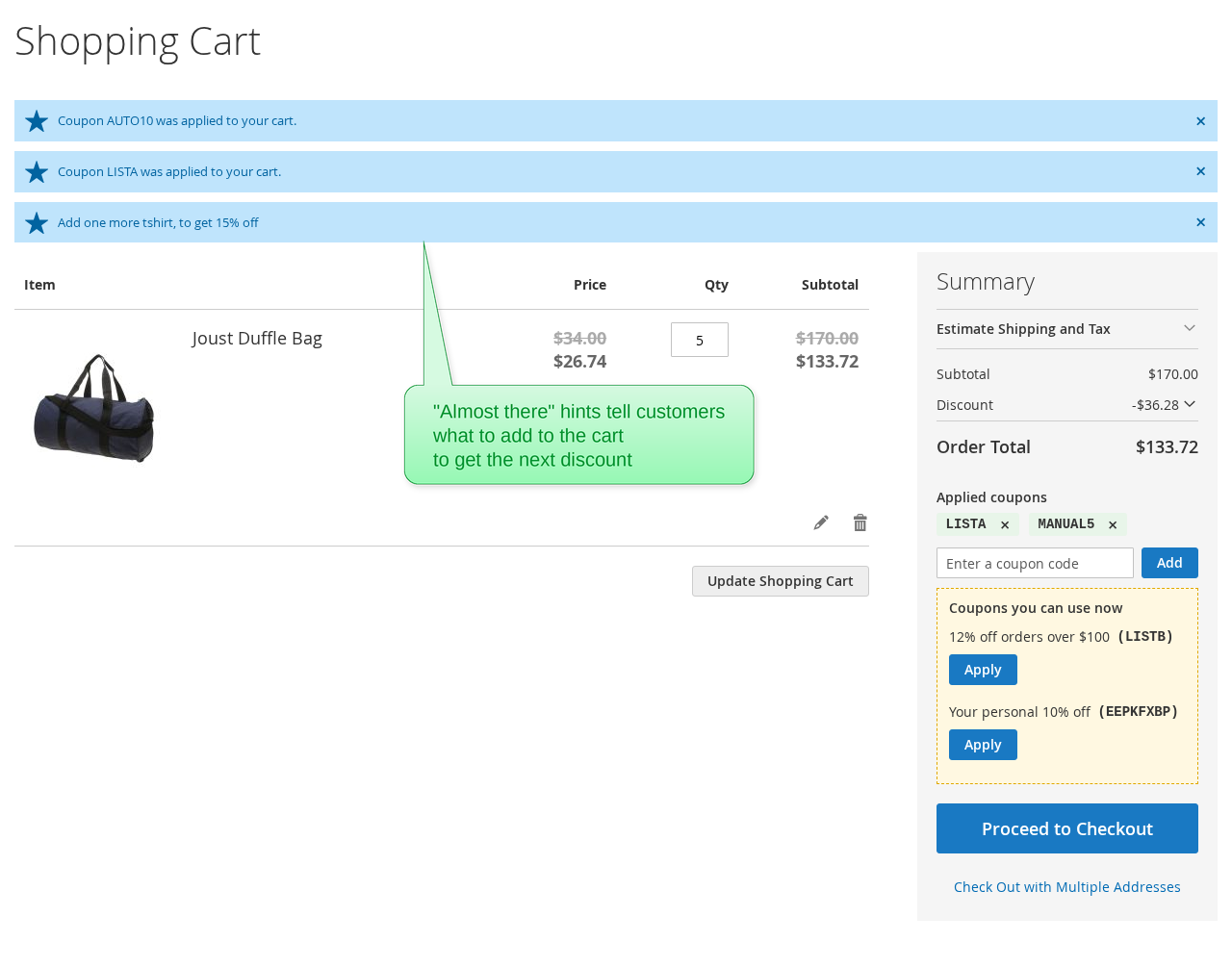
  • Show the coupons the customer can use now, with a one-click Apply, in the cart, mini-cart and checkout
  • Give each customer a personal coupon from a pool of auto-generated codes
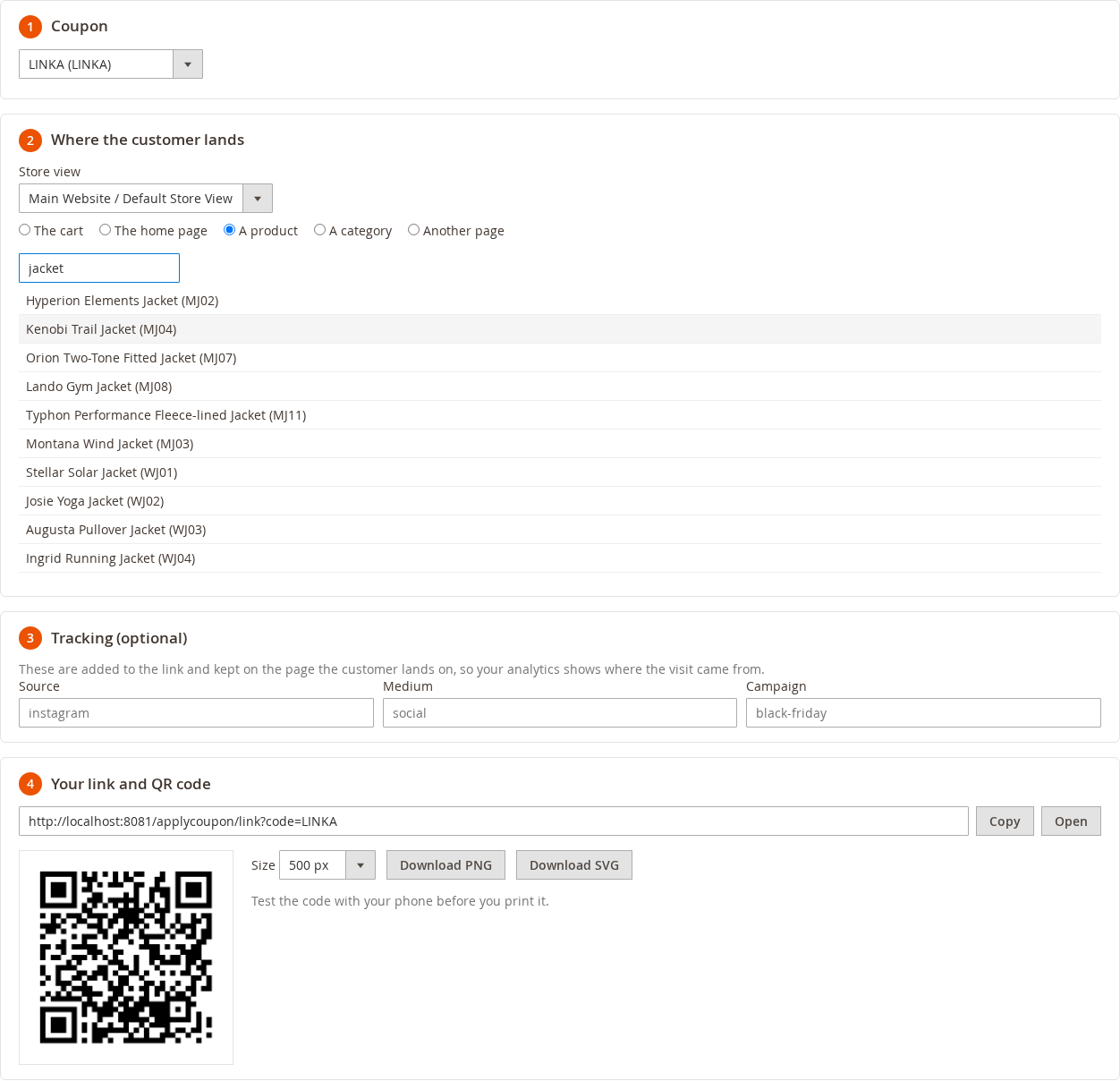
  • Create coupon links and QR codes, landing on the cart, a product, a category or any page
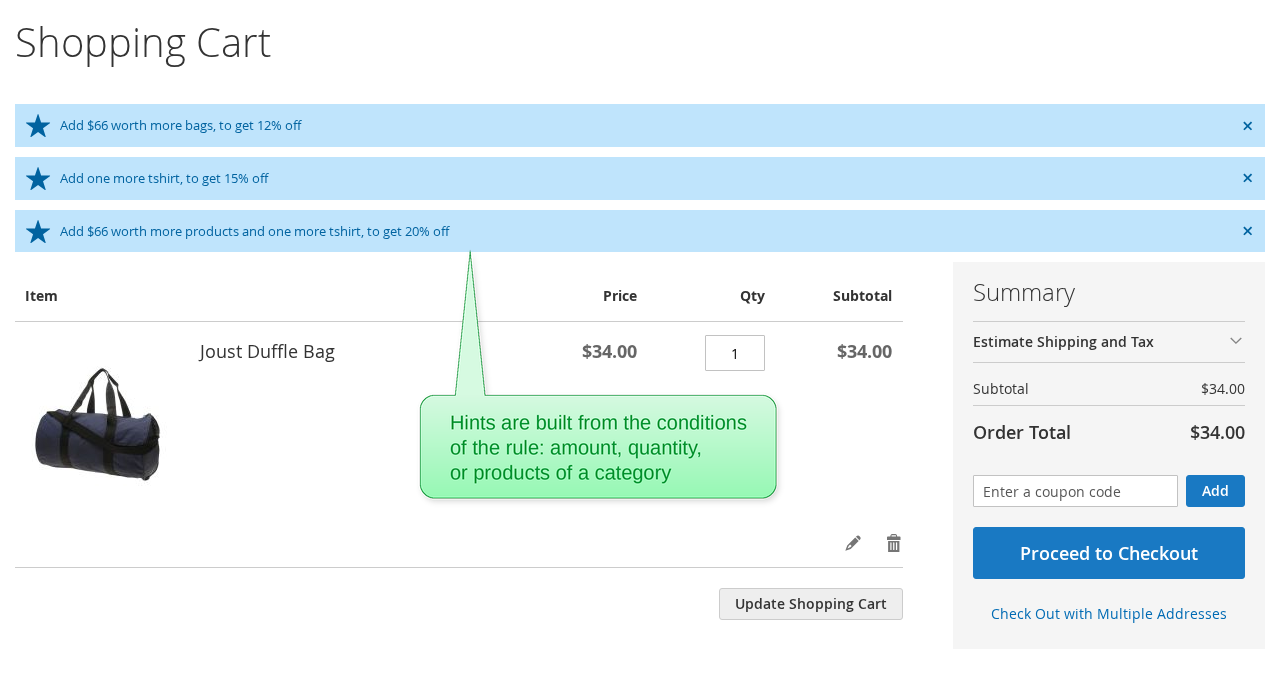
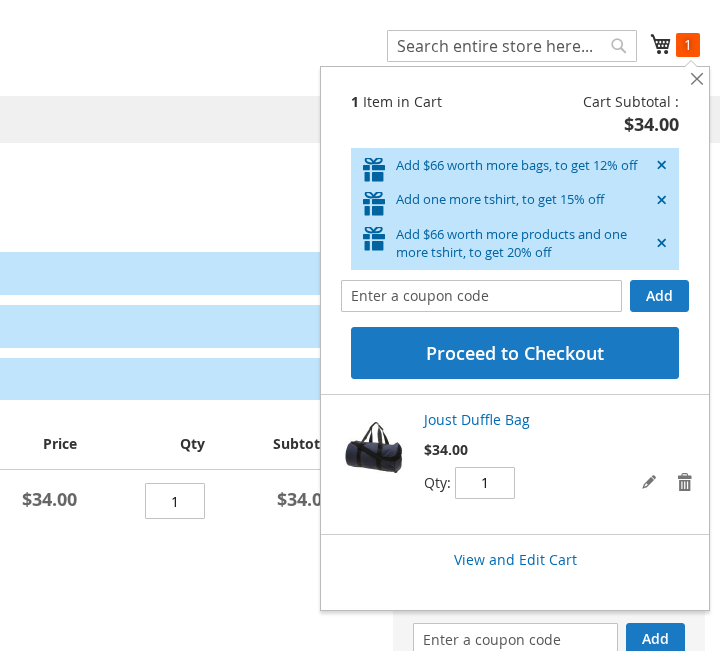
  • Display "almost there" hints, e.g. "Add $20 worth more products, to get 10% off"
  • Track coupon usage: carts, orders, conversion and discount of each coupon
  • Hyva compatible
Compatibility: Magento 2.4.x, Magento EE / Cloud 2.4.x

Free updates

30 days money
back guarantee

Free installation

90 days free support

100% Open Source

Magento 2 Edition:

Community
Enterprise / Cloud
$99.00
Number of Licenses: 1

Free updates

30 days money
back guarantee

Free installation

90 days free support

100% Open Source

Description

Coupons that sell: applied automatically, offered in the cart, combined and tracked

The Improved Coupon extension for Magento 2 makes your coupons easy to find and easy to use. Instead of hoping that the customers know (and type) a coupon code, Improved Coupon applies coupons automatically, shows the coupons the cart qualifies for with an Apply button, lets the customers combine several coupons, and tells them what to add to the cart to get the next discount.

  • Several coupons in one order - each one can be removed separately, in the cart, the mini-cart and the checkout.
  • Auto-apply coupons as soon as the cart qualifies.
  • "Coupons you can use now" - a list of the coupons the cart qualifies for, applied with one click.
  • A personal coupon for each customer, picked from your auto-generated coupon codes.
  • Coupon links and QR codes that apply the coupon and land on the cart, a product, a category or any page.
  • "Almost there" hints that show what to add to the cart to get the discount.
  • A usage report - carts, orders, conversion and discount of each coupon.

Everything works with the cart price rules you already have: switch the features on in the rule. The way Magento calculates the discounts is not changed.
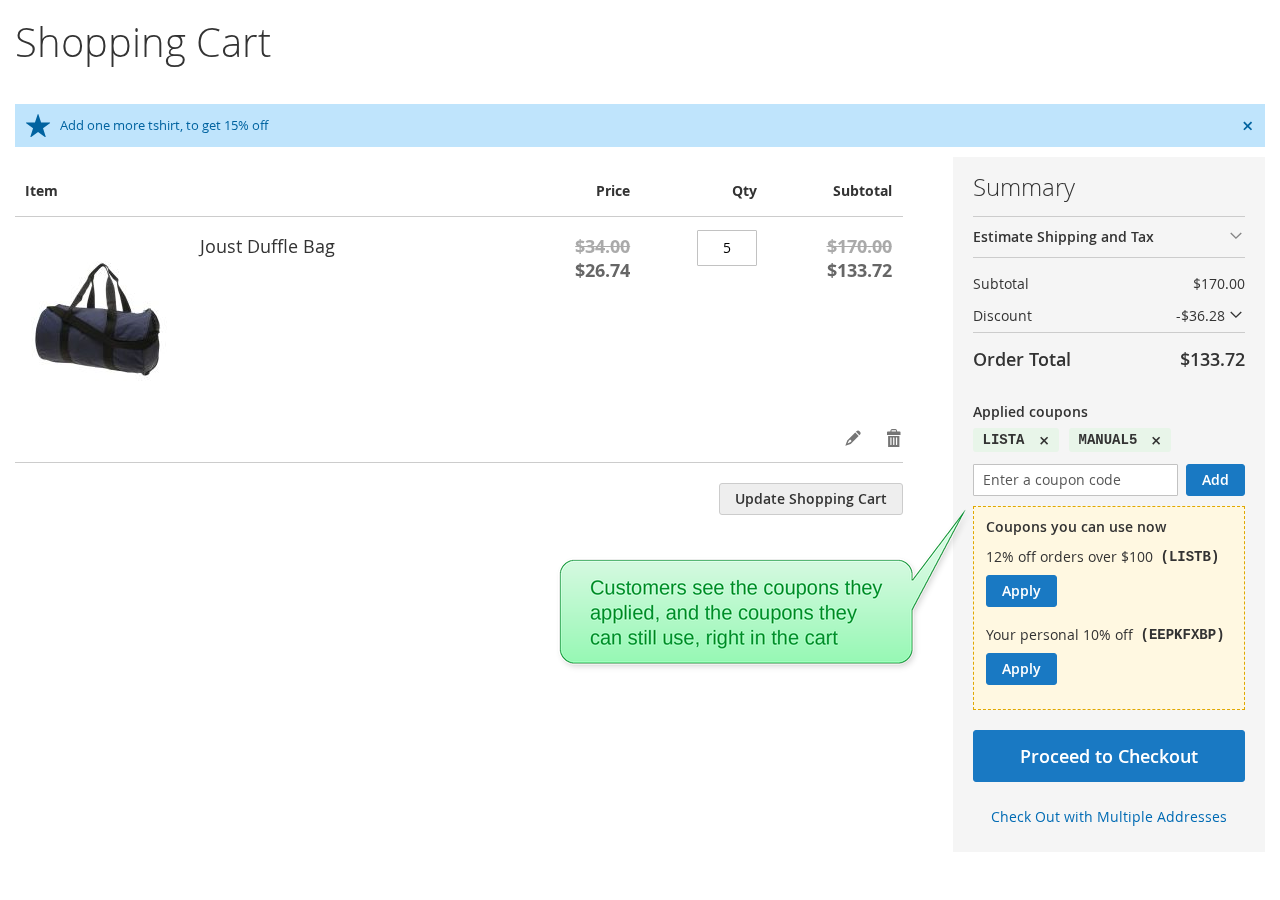
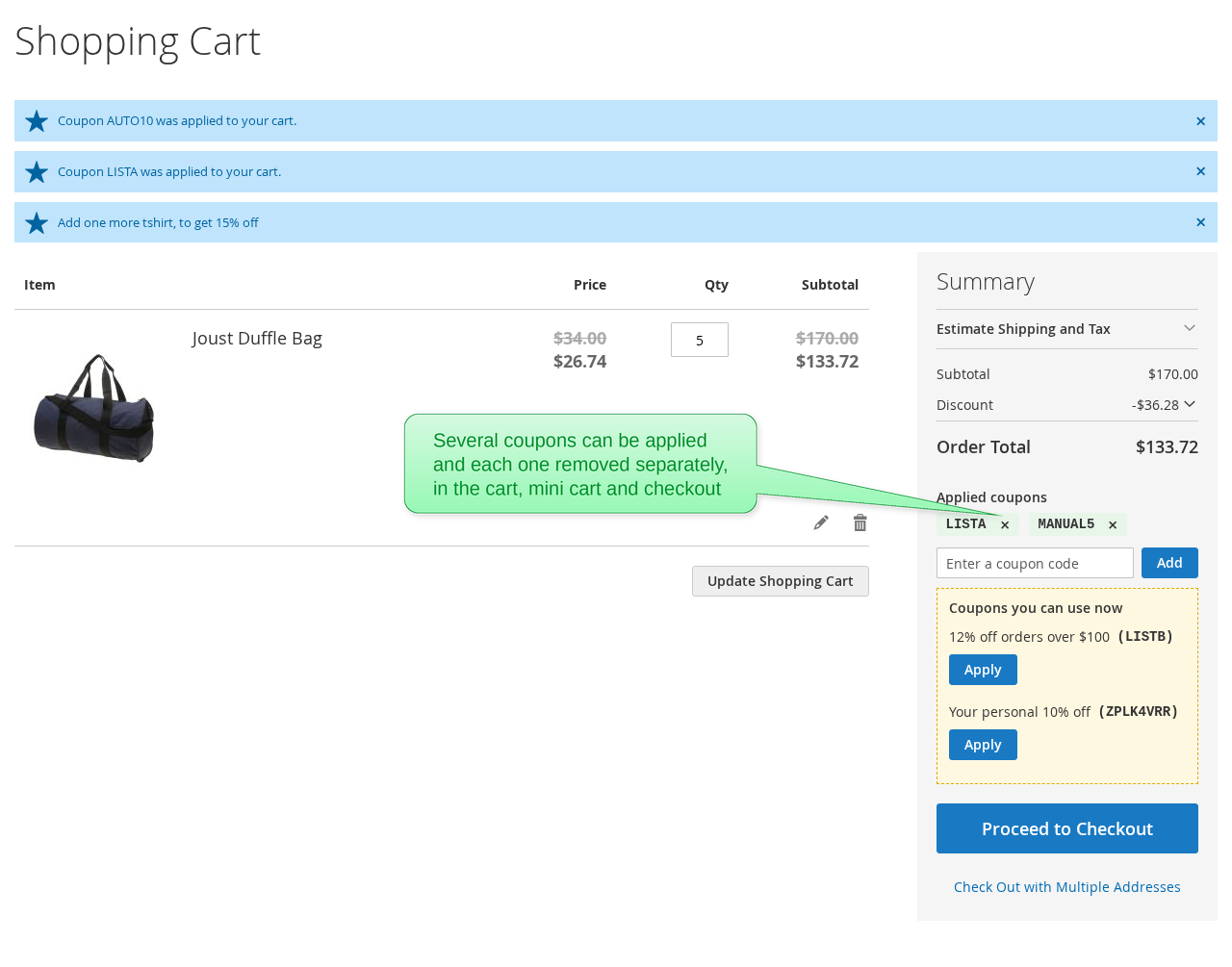
The shopping cart shows the applied coupons, each with a remove button, and the coupons the customer can still use
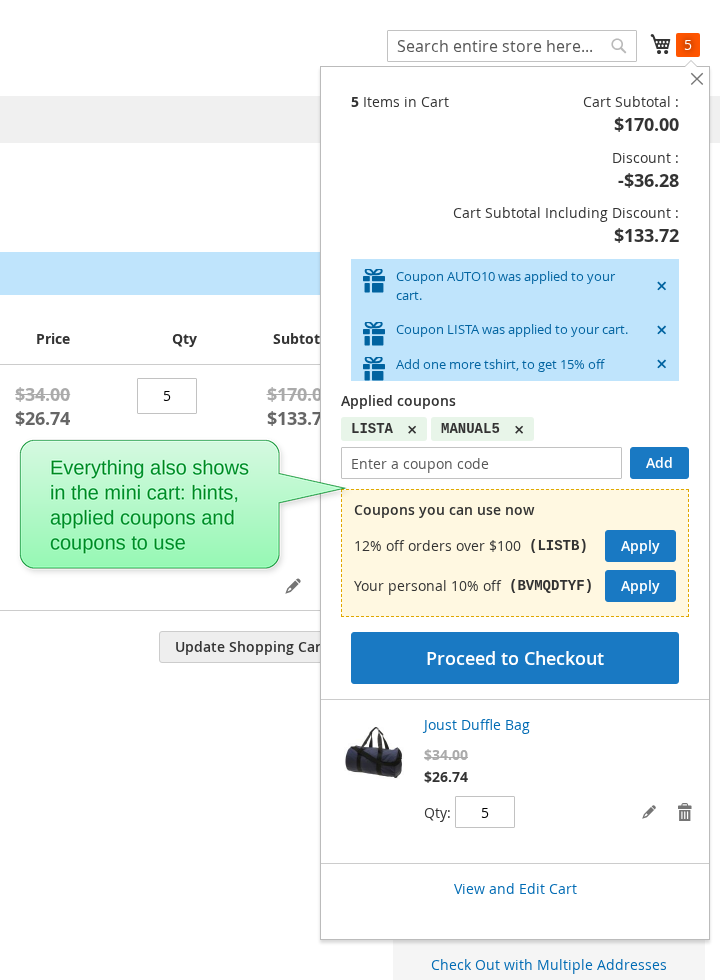
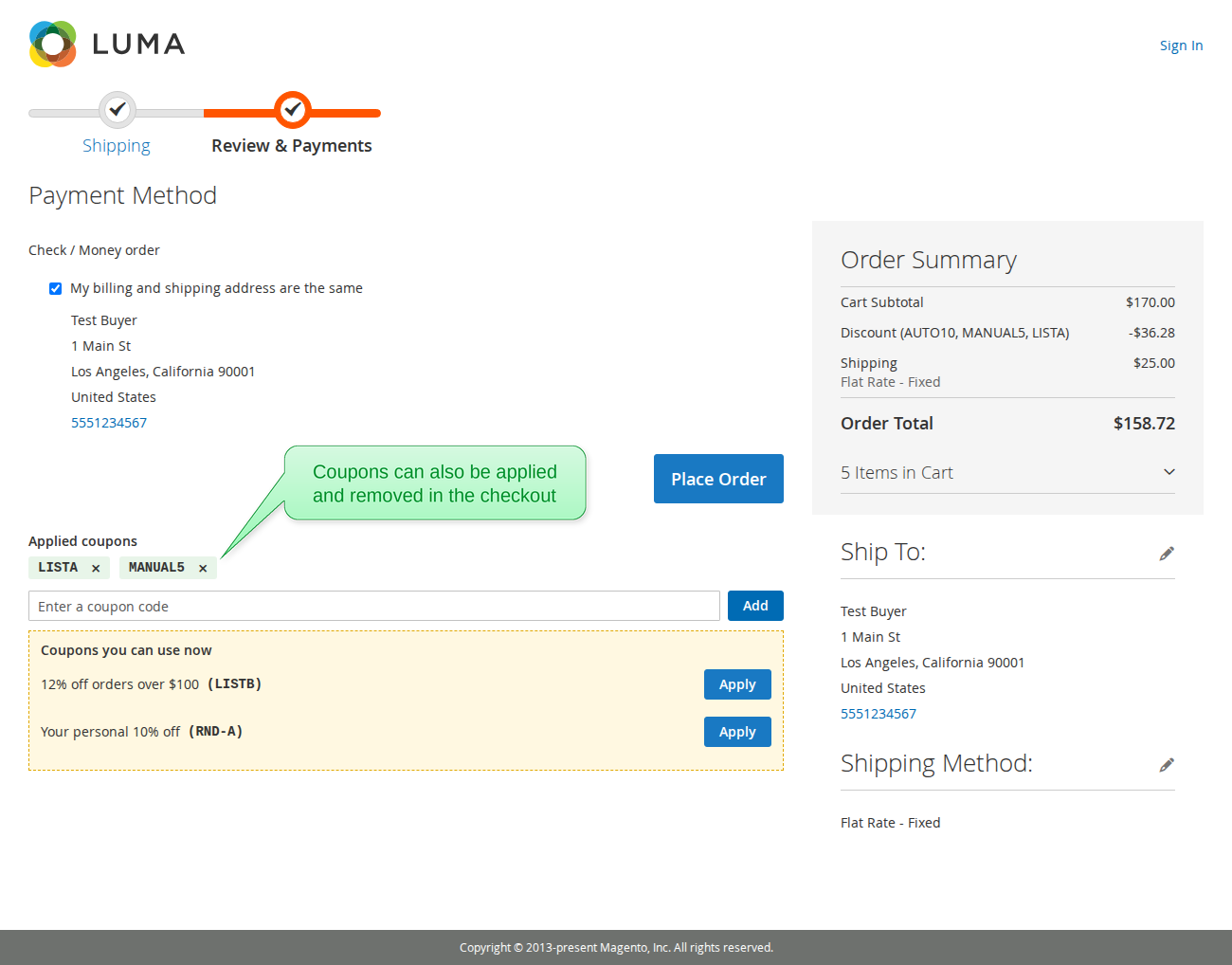
The checkout payment step shows the applied coupons, a field to add a coupon code and the coupons the customer can use The mini-cart shows the coupon notifications, the applied coupons and the coupons the customer can use
Two coupons are applied in the shopping cart, each with its own remove button
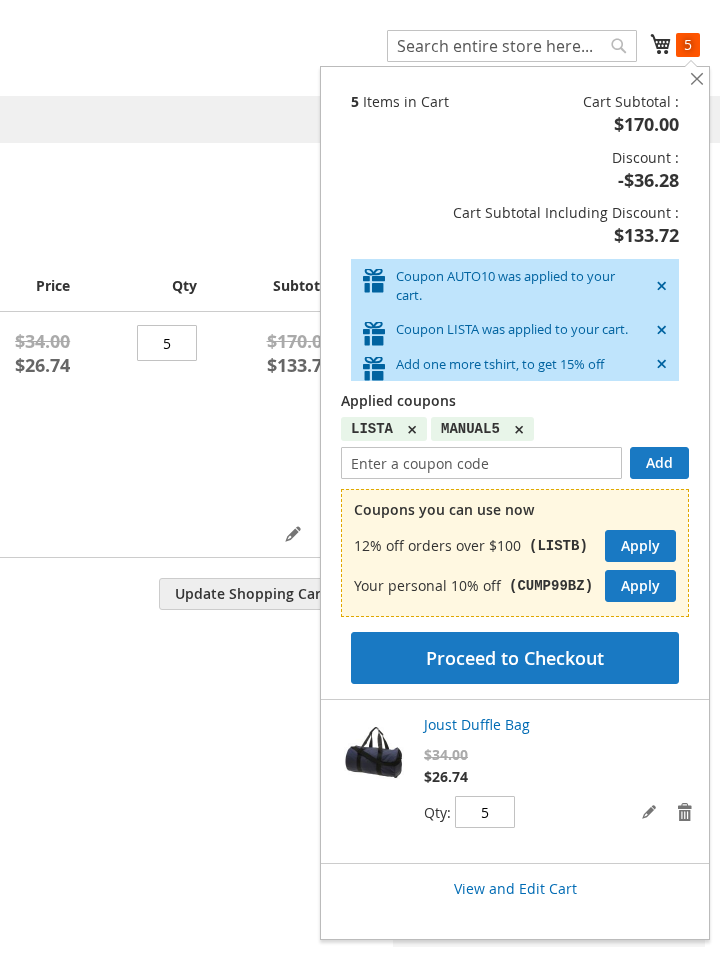
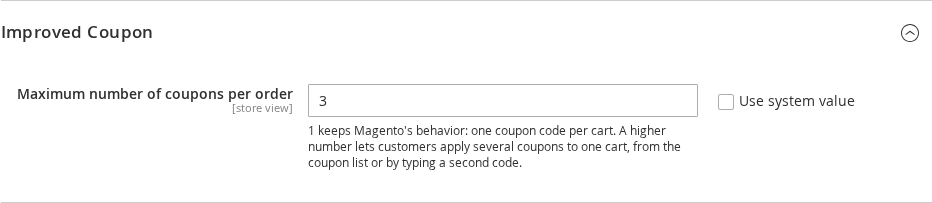
Two coupons are applied in the mini-cart, each with its own remove button The setting of the maximum number of coupons per order

Apply several coupons to one order

Magento takes one coupon per order: a new coupon code replaces the one that was applied. With Improved Coupon you set the maximum number of coupons per order, and the customers can combine coupons.

The cart, the mini-cart and the checkout show the applied coupons, each with its own remove button, and a field to add another coupon code. A coupon applied from the coupon list is added to the coupons of the cart, instead of replacing them.

Coupons that combine the way you set them

The coupons follow your cart price rules: the rule priorities and "Discard subsequent rules" decide which coupons work together. A coupon that cannot be combined with the coupons of the cart is refused with a clear message. A coupon that stops applying when the cart changes is taken off, and the customer is told about it.

In the admin too

Orders created in the admin take several coupons as well. The usage limits are counted for every coupon of the order. On Adobe Commerce, Improved Coupon works together with the Multicoupon module.

Auto-apply coupons

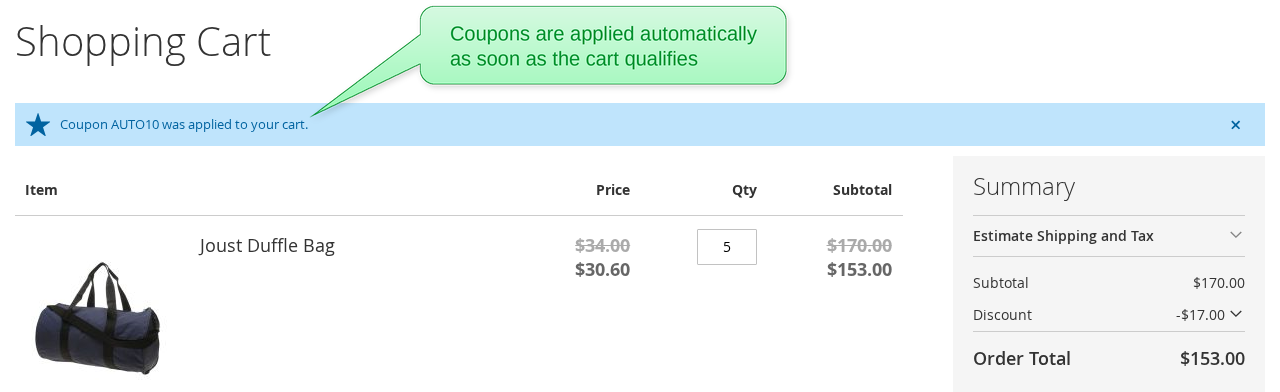
Switch on "Auto-apply the coupon" in a cart price rule, and the coupon is applied to every cart that matches the conditions of the rule. The customer sees "Coupon X was applied to your cart." in the cart and the mini-cart.

The customer groups, the dates, the usage limits and the priorities of the rule are respected, like for any coupon. A coupon that the customer types in works together with the automatic one.

Examples:

  • 10% off every order over $50, with no coupon code to remember
  • A coupon for the wholesale customer group, applied as soon as they shop
  • A weekend sale coupon, active between two dates
A message in the shopping cart says that the coupon was applied automatically
The Auto-apply the coupon switch in the cart price rule
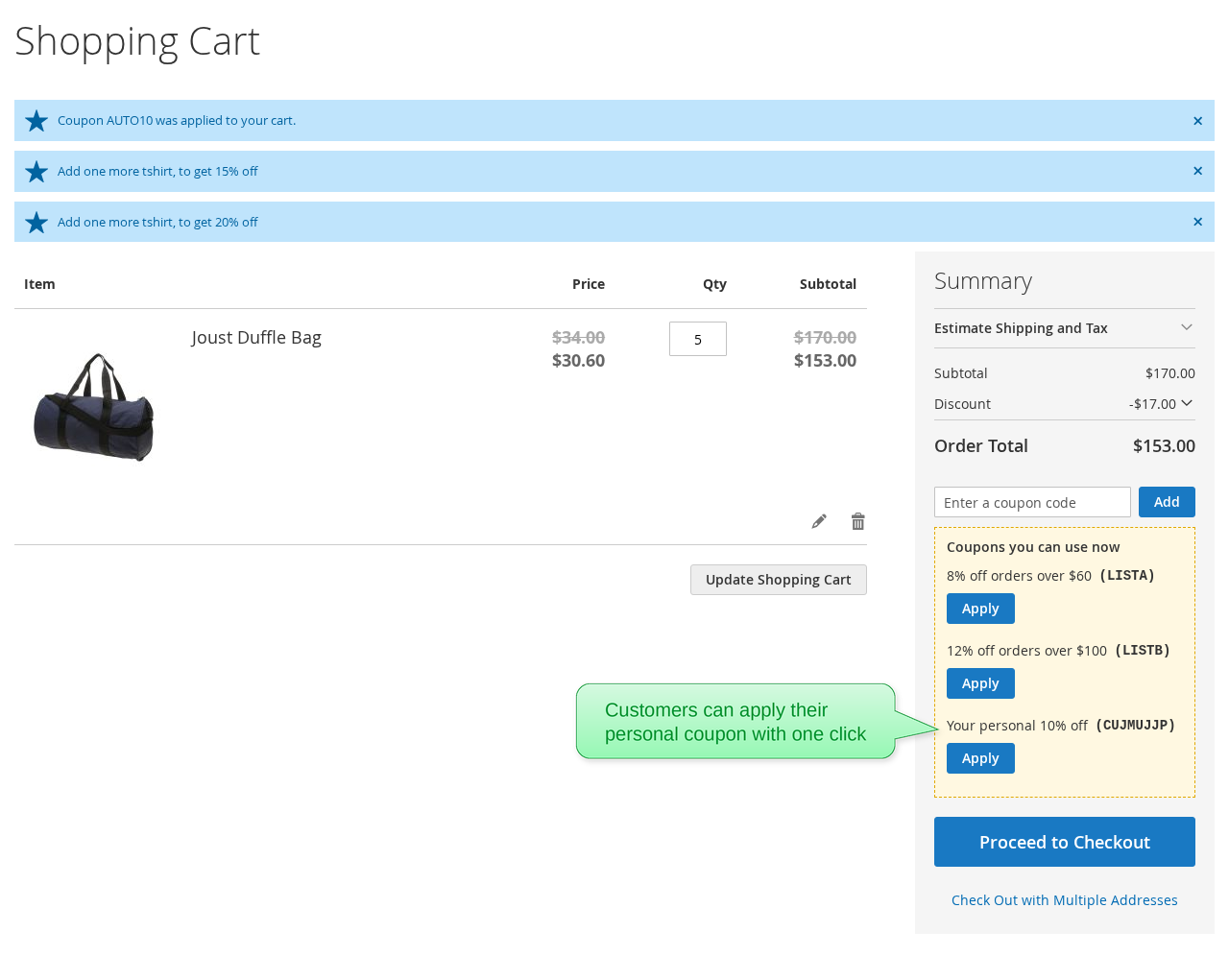
The shopping cart lists the coupons the customer can use now, each with an Apply button
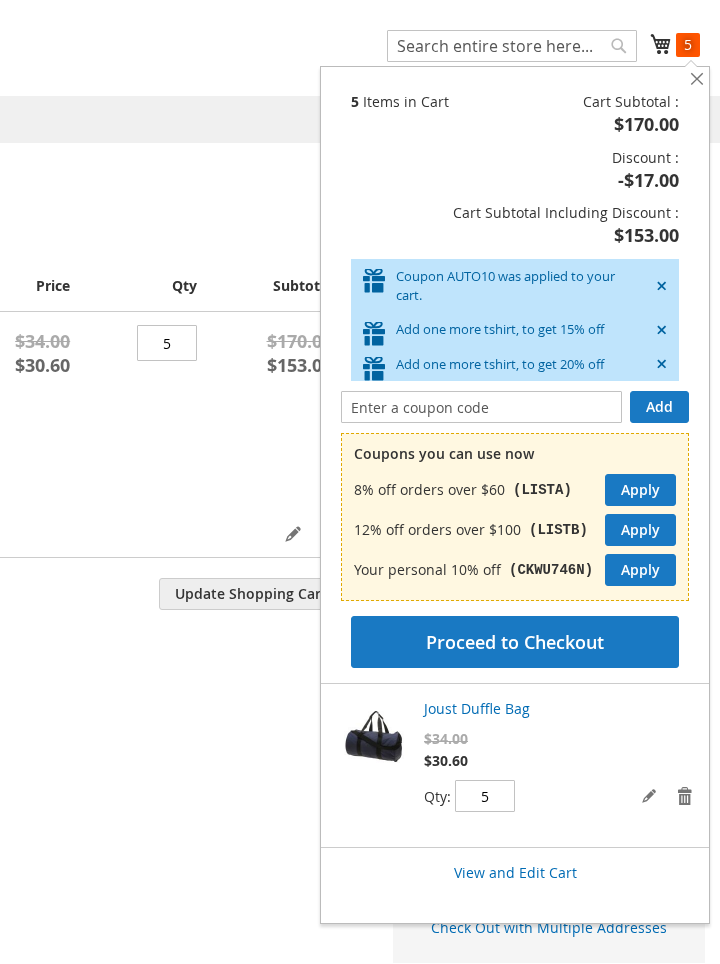
The mini-cart lists the coupons the customer can use now, each with an Apply button

Show the coupons the customer can use now

Choose the coupons you want to advertise. The customers whose cart qualifies for them see them under "Coupons you can use now", with your text and an Apply button, in the cart, the mini-cart and the checkout.

Only the coupons you mark are ever shown, and only when the cart qualifies for them right now: the conditions of the rule are met, the customer group fits, and the usage limit is not used up. The customers do not need to leave the store to search for coupon codes anymore.

A personal coupon for each customer

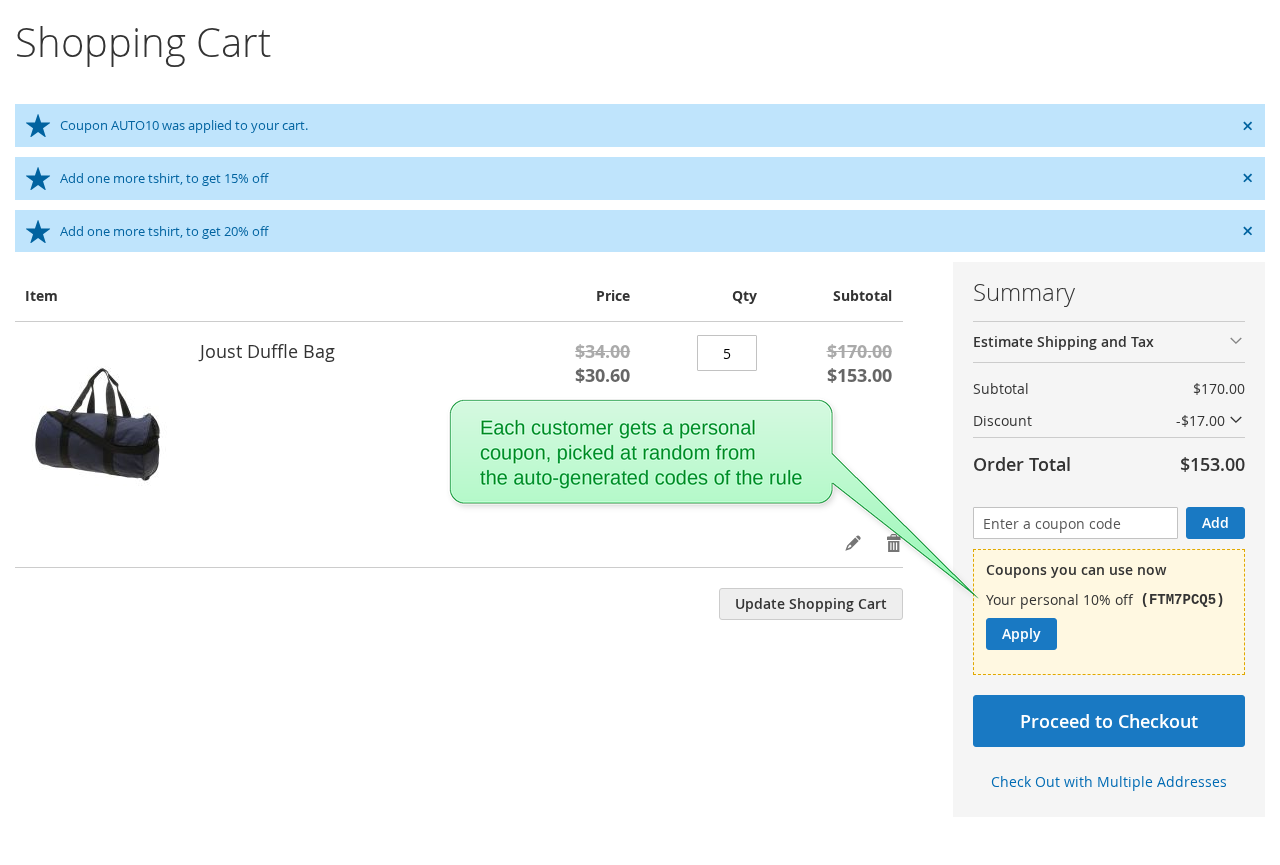
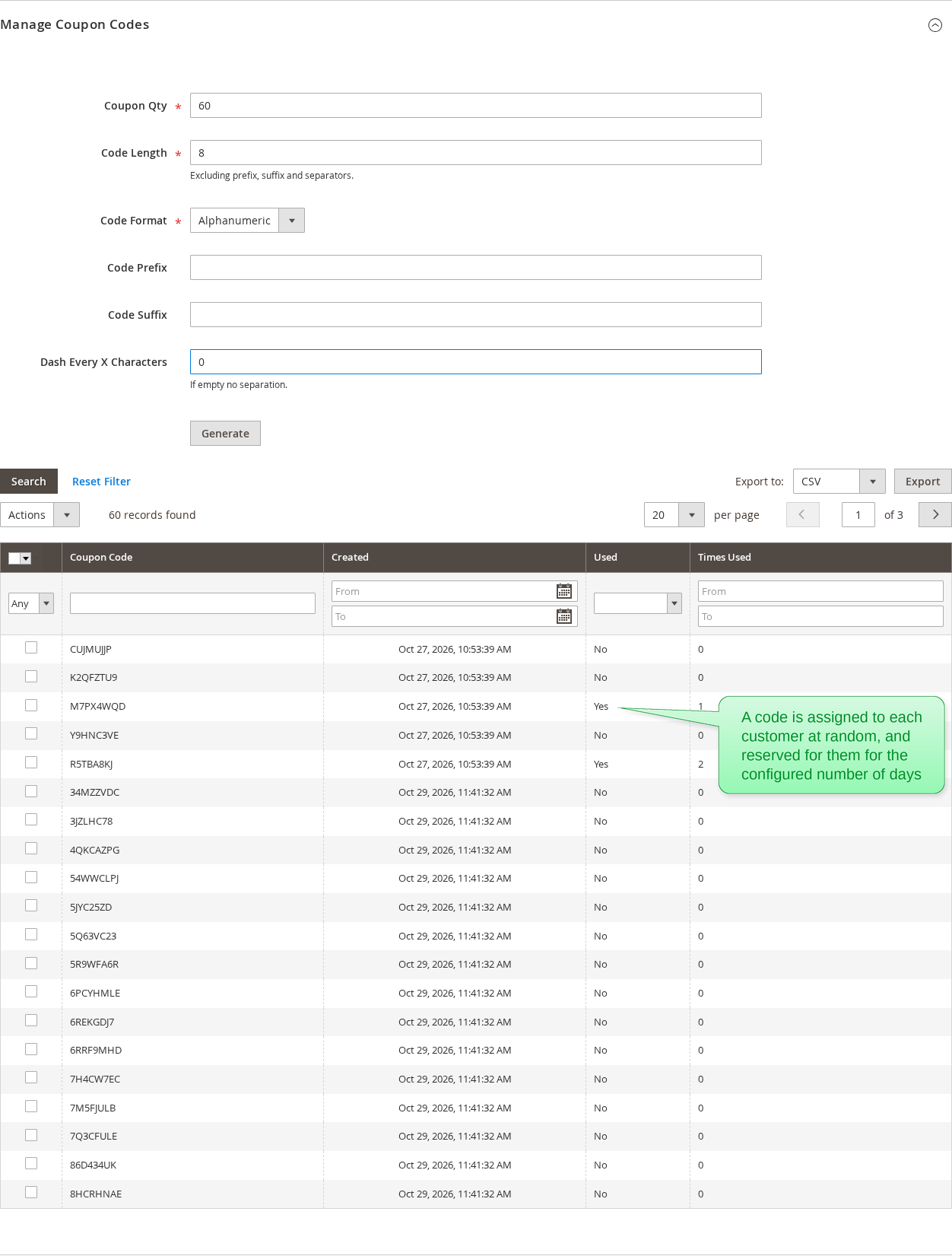
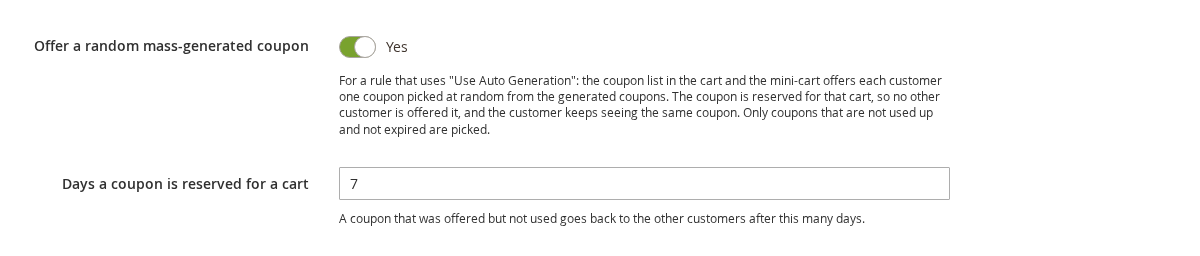
Generate a pool of single-use coupons with Magento's "Use Auto Generation", and switch on "Offer a random mass-generated coupon" in the rule. Each customer whose cart qualifies is offered one coupon of the pool, picked at random.

The coupon is reserved for that customer for the number of days you set: no other customer is offered it, and the customer sees the same coupon every time. A coupon that was not used goes back to the pool when its reservation ends. Coupons that are used up or expired are never offered.

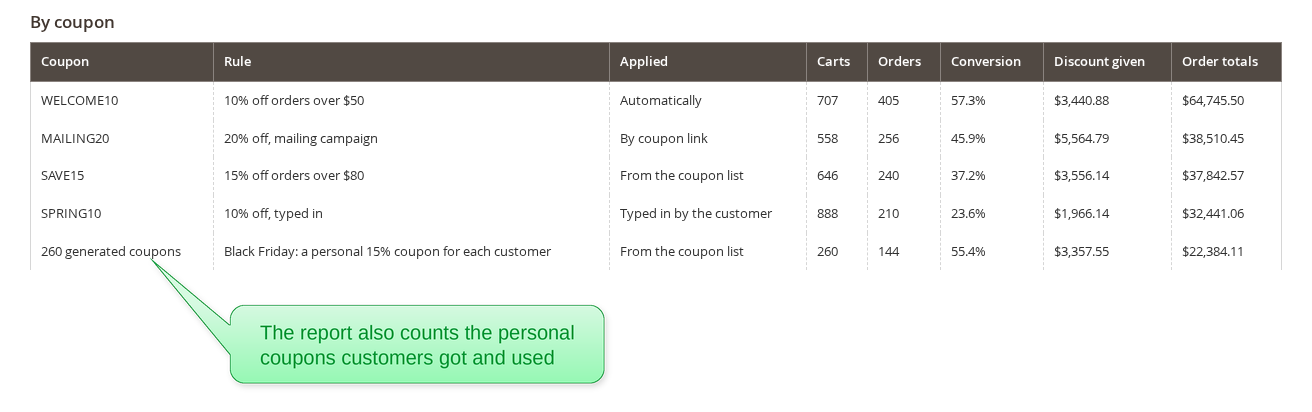
The usage report shows the whole pool as one row, so you can see how the campaign did.

The shopping cart offers the customer a personal coupon picked from the auto-generated codes
The auto-generated coupon codes of the rule, each assigned to one customer at random The personal coupon settings in the cart price rule: offer a random mass-generated coupon, and the days a coupon is reserved
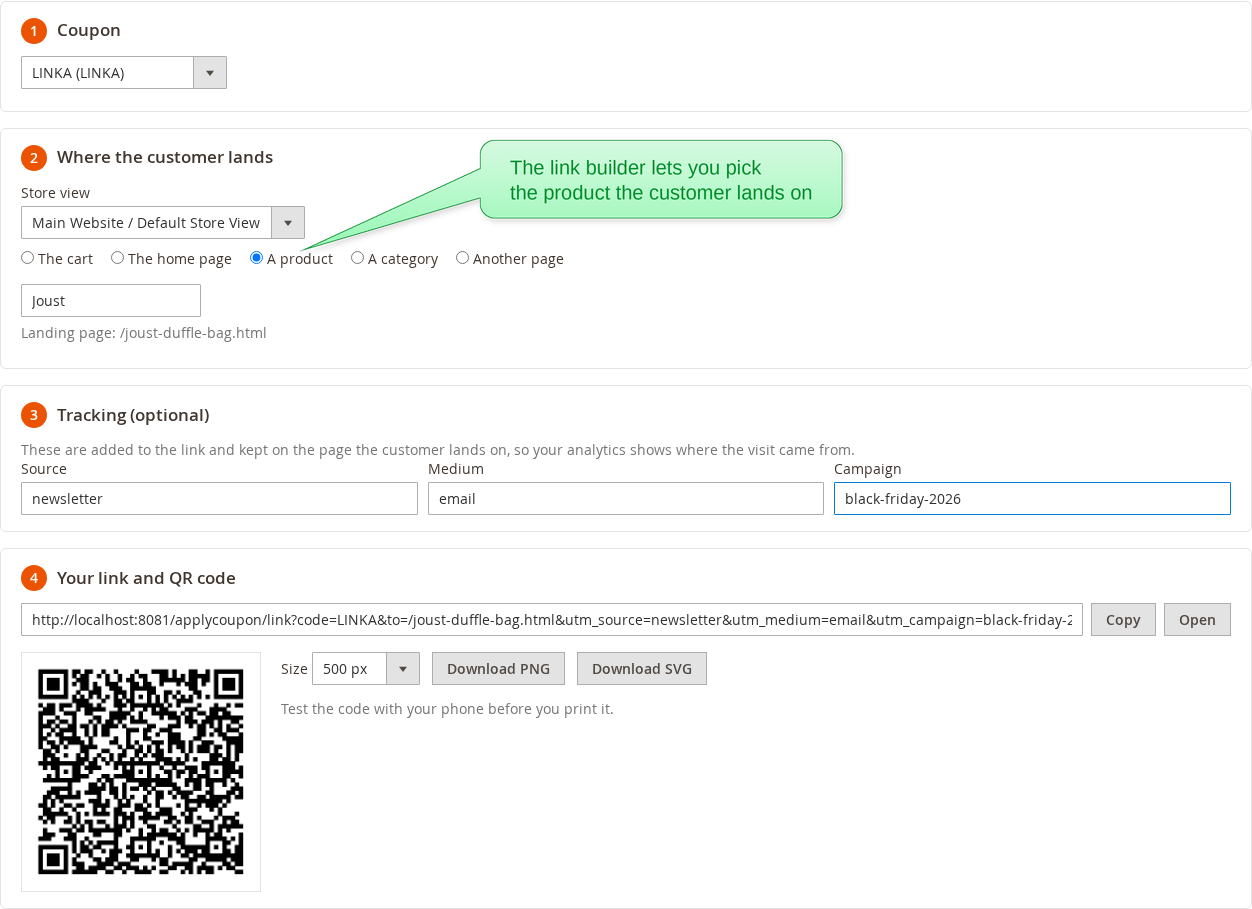
The coupon link builder makes a link and a QR code that apply the coupon and land on a product page
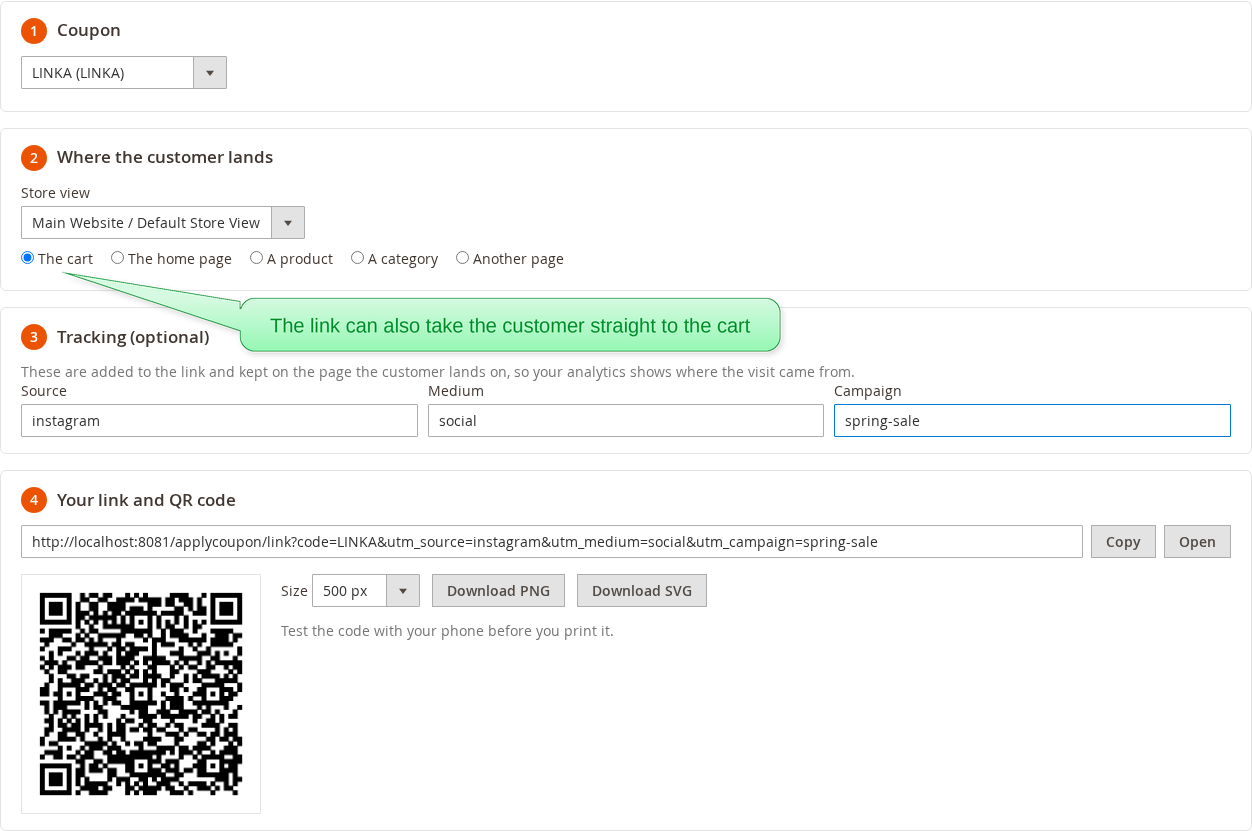
The coupon link builder makes a link that applies the coupon and lands on the cart Choosing the landing product in the coupon link builder by typing part of its name

Coupon links and QR codes

Send a link that applies the coupon - in an email, a social post or an ad. If the cart does not qualify yet, the coupon is kept and applied as soon as it does.

The Coupon Link Builder makes the link for you:

  • Choose where the customer lands: the cart, the home page, a product, a category or any page of the store
  • Add campaign tracking (source, medium, campaign), kept on the landing page for your analytics
  • Download a QR code (PNG or SVG) for flyers, package inserts and posters

A rule can also add a product to the cart when its link is used.

"Almost there" hints

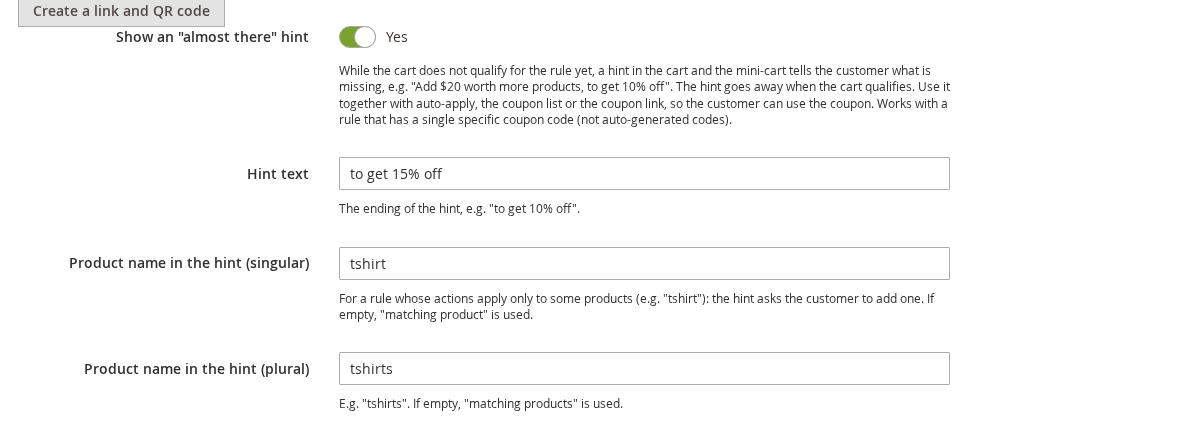
Tell the customers what is missing to get the discount of a coupon. While the cart does not qualify yet, the cart and the mini-cart show hints like:

  • "Add $20 worth more products, to get 10% off"
  • "Add 2 more products, to get 5% off"
  • "Add one more tshirt, to get 15% off"
  • "Add $66 worth more products and one more tshirt, to get 20% off"

The hints are built from the conditions of the rule - the subtotal, the number of items and the products in the cart - and go away once the cart qualifies. Combine them with auto-apply or the coupon list, and the customer gets the discount right away.

Almost there hints in the shopping cart tell the customer what to add to get a discount
Almost there hints in the mini-cart An almost there hint in the shopping cart, next to the coupons that were applied The almost there hint settings in the cart price rule
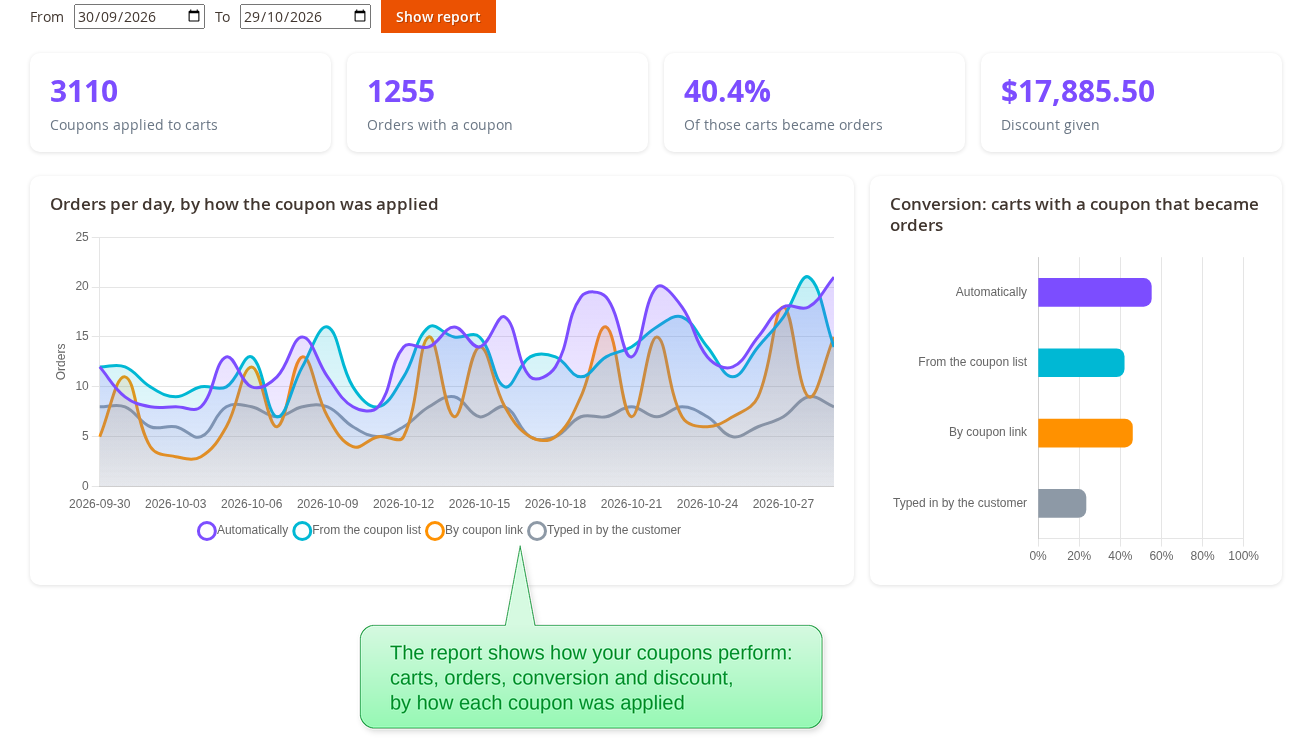
The coupon usage report: coupons applied to carts, orders with a coupon, conversion and discount given, with charts
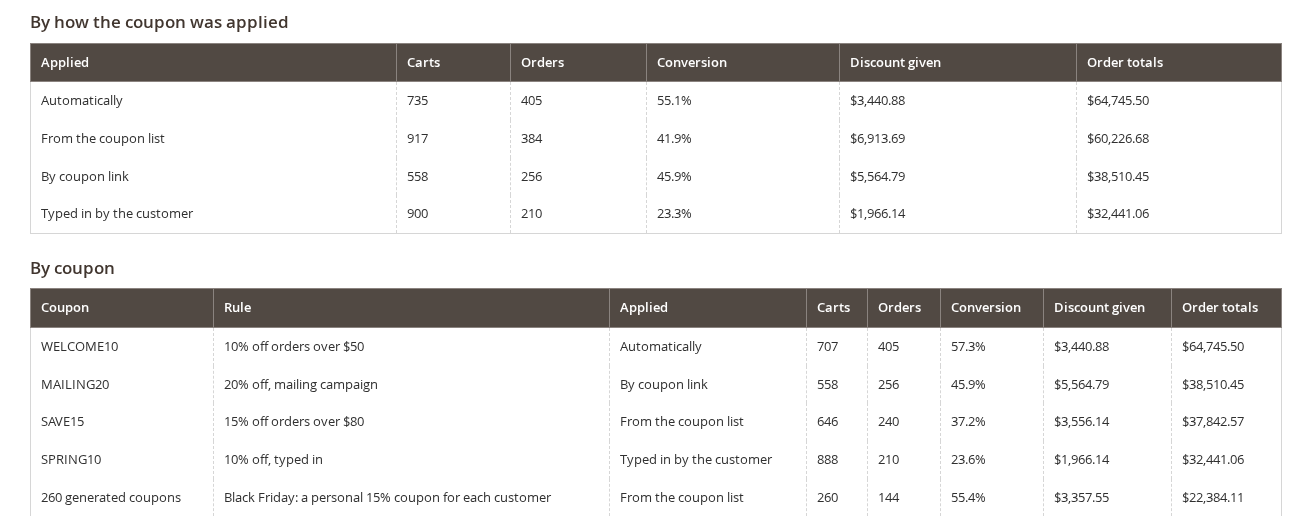
The coupon usage report tables, by how the coupon was applied and by coupon The coupon usage report counts the personal coupons the customers got and used

Coupon usage report

See which coupons bring orders. The Improved Coupon report shows the carts that got a coupon, the orders that used one, the conversion rate, the discount given and the order totals.

Everything is split by how the coupon was applied - automatically, from the coupon list, by a link, typed in by the customer or added by an admin - and by coupon, with charts of the orders per day and of the conversion.

Write Your Own Review

Quality
Value
Price

Reviews

Write Your Own Review

Quality
Value
Price